
Editing I (Editing and Proofreading)
Improve your editing and proofreading skills, learn to assess manuscripts, and mark up like the pros with this introductory course. Excellent for writers and new editors alike.
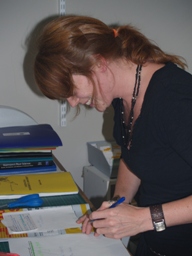
Editors work for publications both in-house (e.g. for a magazine, newspaper or web development office) or as outside contractors (e.g. self-employed from home, freelance work). Editing is something which takes some time to become competent at but is well worth pursuing because it gives great satisfaction once mastered. It is often the case that people improve in their role as editor over a long period of time. You might make great strides initially but you just need to persevere in order to keep improving. Once techniques become familiar, editing becomes much more 'natural' and a conscientious editor will sometimes find themselves mentally editing everything they read.
"[Marked work] comes back quickly and the comments are helpful and detailed if necessary. The course is very valuable, as it makes me more accustomed to communicating electronically, which is how everything is done these days. I’m really enjoying this course. I have a really unpredictable schedule, so I never really took to other avenues of study. With this course I can take my time and absorb the material at my own pace. I think it’s clever and practical. I haven’t had this much fun studying in years." Michelle de Klerk, Australia - Editing & Proofreading course.
"It took me a while but in the end it was a very useful course for my work. I would like to really thank my tutor for all her feedback which improved my proofreading skills. You will see the results in our 2011 catalogue." Premo Jackniacki, Australia
Aims
- To gain an understanding of the role and scope of editing.
- Explain the importance of clear, effective writing, throughout all stages of the publishing process.
- Describe the procedure of manuscript assessment.
- Describe the procedures used by copy editors.
- Explain procedures used to prepare copy for printing.
- Describe the checks and procedures used in the final stages of preparing and printing publications.
What You Will Do
- Create a set of resource files
- Learn to tighten text and improve clarity
- Edit and rewrite existing texts to hone your skills
- Use proofreading marks for corrections and layout details
- Assess manuscripts and write a reader's report
Lesson Structure
There are 8 lessons in this course:
-
Introduction to Editing
- The role and scope of editing
- Tools for editing
- Editing skills
- The production process
- An overview; who does what in publishing
-
The Mechanics of Clear Writing
- Spelling
- Punctuation
- Grammar
- Language
- Style
- Tense
-
Assessing Manuscripts
- Readability
- Word length
- Structure
- Consistencies and inaccuracies
- The reader’s report
- Substantive editing
- The author’s responsibilities
- The author/editor relationship
-
Copy Editing I
- What the copy editor does
- The procedure
- House style
- Style sheets
-
Copy Editing II
- Marking up
- Parts of a publication
- Editing non-text material
- Illustration.
-
Preparing Copy for Printing
- Type design
- Page layout
- Proof stages
-
Proof Reading
- Role
- Procedures
- Tips
-
The Final Stages
- Indexes
- Blurbs
- Checking final proofs
Accreditations
THE ROLE AND SCOPE OF EDITING
It is the editor’s role to improve the quality of the writing, whether it is their own or another person's work.
The scope of editing ranges from self-editing (where the writer examines their own writing and improves it as best they can) to professional editing (where an expert is employed by a publishing company to improve the quality of a piece of writing prior to publication).
There are many other facets of commercial publishing that require the skills of professional editors. These include:
-
Commissioning publications
-
Reviewing manuscripts
-
Overseeing manuscripts through the production process
-
Liaising with writers, publishers, printers and agents
-
Writing blurbs, captions and press releases
-
Researching and organising pictures
In smaller organisations, the editor may also be responsible for the design and publication of documents, newsletters, reports, magazines and books using desktop publishing software and equipment.
Editing involves several stages, all of which will be examined in detail during this course. In summary, they are:
-
Reviewing the manuscript
-
Structural (substantive) editing
-
Copy editing
-
Proof reading
-
Checking proofs
What should you expect during this course?
Working through this course involves:
-
Reading study materials and additional materials
-
Interacting with tutors who themselves are qualified and experienced professionals
-
Undertaking a variety of practical tasks
-
Answering and submitting assignment questions
Example of Reading from the Course:
Style Errors - Below are errors in style due to inappropriate or poor choices of language which can lead to boring, imprecise and inaccurate writing. In some situations, they may be relevant and suitable, but they are usually best avoided:
-
Clichés – over-used phrases e.g. bed of roses.
-
Vogue words and trendy expressions - e.g. proactive, meaningful dialogue, flavour of the month.
-
Colloquialisms in formal writing.
-
Parochialism in documents intended for a wide audience.
-
Jargon in documents intended for a general audience.
-
Euphemisms - e.g. pass away, upwardly mobile.
-
Overstatements - e.g. fabulous, incredible, fantastic, amazing.
-
Archaic words - e.g. herewith, thereby, hereinafter.
-
Sexist terms - e.g. man made, nurseryman, waitress.
-
Tautologies - e.g. totally unique, completely empty.
-
Unnecessary use of foreign words and phrases.
-
Ambiguity.
Who can benefit from taking this course?
Freelance writers seeking to offer editorial services to their existing clients, or bring in new business.
In house agency designers or writers across a variety of B2B and B2C companies. Improving readability scoring and general grammar and punctuation helps staff create better material, from white papers and pitch decks to client-side briefs and press releases.
Existing editors wanting to improve their skill set or up-skill from proofreading and line edits to copy and style editing.
Students at a secondary or tertiary level wanting to improve their writing and editing to achieve better grades.
Any writer looking to improve their work.
At the end of this course you will:
- Understand how to identify different types of errors and areas for improvement.
- Understand the different types of editing, with a focus on copy-editing and creating style-sheets.
- Understand how to properly assess manuscripts, whether for yourself or a client.
- Know how to revise and polish existing copy to a high standard.
Enrol using the automated procedure on this site or contact us via phone or email to ask questions and enrol with a real person.
You can enrol at anytime and start the course when you are ready. Enrolments are accepted all year - students can commence study at any time. All study is self paced and ACS does not set assignment deadlines.
Please note that if a student is being assisted by someone else (e.g. an employer or government subsidy), the body offering the assistance may set deadlines. Students in such situations are advised to check with their sponsor prior to enrolling. The nominal duration of a course is approximately how long a course takes to complete. A course with a nominal duration of 100 hours is expected to take roughly 100 hours of study time to complete. However, this will vary from student to student. Short courses (eg. 100 hrs duration) should be completed within 12 months of enrolment. Certificates, Advanced Certificates and Awards (eg. over 500 hours duration) would normally be completed within 3 -5 years of enrolment. Additional fees may apply if a student requires an extended period to complete.
If a student cannot submit their assignments for 6 months to ACS, they should advise the school to avoid cancellation of their student
registration. Recommencement fees may apply.
Simply click on the ENROL OPTIONS button at the top of this screen and follow the prompts.
You can see the course price at the top of this page. Click 'enrolment options' to see any payment options available.
You can pay by Credit Card, PayPal, Afterpay or bank transfer.
Yes! We have payment plans for most courses. Click 'enrolment options' to see the available payment plans.
We also have Afterpay that will allow you to pay for your course or payment plans in four instalments (if you are in Australia).
There are no entry requirements that you need to meet to enrol in our courses, our courses are for everyone.
If you are under 18, we need written permission from your parent/ guardian for your enrolment to continue, we can arrange that after you have enrolled.
You don’t need to purchase any additional resources to complete our courses.
What do I need to know before I enrol?
We aim to teach you the essentials without you having to purchase any specific computer program.
We recommend that you have access to a word processing program, such as Microsoft Word or Google Docs, so that you can easily complete and submit your assignments.
You sure can. We are here to help you learn whatever your abilities.
Yes, if you are enrolling in a Certificate or Advanced Certificate, you might be eligible for credits if you have evidence of your previous studies or relevant experience. More information is here.
We recommend that you are able to browse websites, send emails and conduct online research. You will need to be able to type and submit your assignments.
If you have limited computer skills, we can make special arrangements for you.
This is possible, it depends on the institution. We recommend that if you would like to use our courses that you contact the institution first. Our Course Handbook is a good resource for this.
Our courses are written in English and we only have English speaking academic staff. If you can read and complete your assignments in English, our courses are ideal for you.
Our courses are designed to build knowledge, hands on skills and industry connections to help prepare you to work in the area, running your own business, professional development or as a base for further study.
This course has been designed to cover the fundamentals of the topic. It will take around 100 hours to complete, which includes your course reading, assignment work, research, practical tasks, watching videos and anything else that is contained in the course. Our short courses are a great way to do some professional development or to learn a new skill.
It’s up to you. The study hours listed in the course are a rough guide, however if you were to study a short course (100 hours) at 10 hours per week, you could finish the course in 10 weeks (just an example). Our courses are self-paced, so you can work through the courses in your own time. We recommend that you wait for your tutor to mark and return your assignment before your start your next one, so you get the benefits of their feedback.
The course consists of course notes, videos, set tasks for your practical work, online quizzes, an assignment for each lesson (that you receive feedback from your tutor from) and ends in an exam (which is optional, if would like to receive the formal award at the end), using our custom built Learning Management System - Login.Training.
Our courses are designed for adults to gain professional development and skills to further their careers and start businesses.
Our custom online learning portal allows you to conduct your learning online. There may be practical tasks that you can do offline. You have the option of downloading your course notes or print them to read later.
There is also the option to pay an additional fee for printed course notes and or USB (availability limited to location and deliverability).
Yes, if you don’t have access to the internet, you can receive the course as paper notes or on a USB stick for an additional fee. We can also make alternative arrangements for you to send your assignments to us.
We offer printed notes for an additional fee. Also, you can request your course notes on a USB stick for an additional fee.
Yes, your tutor is here to help you. Simply post any questions you have in your login.training portal or contact the office and we can pass on a message to your tutor.
We are more learning focussed, rather than assessment focussed. You have online quizzes to test your learning, written assignments and can complete an exam at the end of the course (if you want to receive your certificate). You will not receive a pass/ fail on your course work. If you need to add more details on your assignment, we will ask you to resubmit and direct you where you need to focus. If you need help, you can ask your tutor for advice in the student room.
Each module (short course) is completed with one exam.
Exams are optional, however you must sit an exam if you would like to receive a formal award. You will need to find someone who can supervise that you are sitting the exams under exams conditions. There is an additional cost of $60 incl. GST for each exam.
More information is here
There are practical components built into the course that have been designed to be achieved by anyone, anywhere. If you are unable to complete a task for any reason, you can ask your tutor for an alternative.
When you complete the course work and the exam and you will be able receive your course certificate- a Statement of Attainment. Otherwise, you can receive a Letter of Completion.
You can bundle the short courses to create your own customised learning bundle, Certificates or Advanced Certificates. More information is on this page.
Yes, our courses are built to be applicable for people living anywhere in any situation. We provide the fundamentals, and each student can apply their own unique flair for their own interests, region and circumstances with the one-on-one guidance of a tutor. There is also a bit of student directed research involved.
Employers value candidates with industry skills, knowledge, practical skills and formal learning. Our courses arm you with all of these things to help prepare you for a job or start your own business. The longer you study the more you will learn.
ACS has an arrangement with OAMPS (formerly AMP) who can arrange Professional Indemnity from Australian and New Zealand graduates across all disciplines. Ph: 1800 222 012 or email acs@oamps.com.au.
Who are ACS Distance Education?
ACS Distance Education have been educating people for over 40 years.
We are established and safe- we have been in education for over 40 years.
We are focused on developing innovative courses that are relevant to you now and what you will need to know in the future.
We are focused on helping you learn and make the most of your experience.
You can enrol at any time, you can work on your course when it suits you and at your own pace.
We are connected to many industry bodies and our staff participate in continuous improvement and learning activities to ensure that we are ahead of what learning is needed for the future.
Our courses are not accredited by the Australian Government. However many of our courses are recognised and held in high regard by many industry bodies.
Our courses are written by our staff, who all have many years experience and have qualifications in their speciality area. We have lots of academic staff who write and update our courses regularly.
How do I enrol my staff/ sponsored students?
Yes, you can do a request for a bulk enrolment and request an invoice on our Invoice Request Form
We can prepare an invoice, quote or proforma invoice. Simply complete your details on our Invoice Request form
We can arrange bulk discounts for your course enrolment, please get in touch with us to discuss your needs.
Yes, we have many students who are in locked facilities, such as prisons or hospitals. We can cater by also offering paper notes at an additional cost.
What if I have any more questions or need more information?
We can assist you to find the right course for your needs. Get in touch with us via email (admin@acs.edu.au) call on +61 7 5562 1088 or complete our course advice form.
What if I change my mind?
Please get in touch with studentservices@acs.edu.au if you would like to be removed from our mail list.
If you would like ACS Distance Education to delete your information at any time (whether you are a customer or a prospective customer), please contact our privacy officer and we will process this ( admin@acs.edu.au ).
If students require a reproduction of their certificate, an electronic copy can be provided at a cost of AUD$35 incl GST. Printed copies are not available.
Course Contributors
The following academics were involved in the development and/or updating of this course.

John Mason
Writer, Manager, Teacher and Businessman with over 40 years interenational experience covering Education, Publishing, Leisure Management, Education, and Horticulture. He has extensive experience both as a public servant, and as a small business owner.
John is a well respected member of many professional associations, and author of over seventy books and of over two thousand magazine articles.

Jacinda Cole
Former operations manager for highly reputable Landscape firm, The Chelsea Gardener, before starting her own firm. Jacinda has over 20 years of industry experience in Psychology, Landscaping, Publishing, Writing and Education. Jacinda has a B.Sc., Psych.Cert., M. Psych. Cert.Garden Design, MACA.

Tracey Jones
Widely published author, Psychologist, Manager and Lecturer. Over 10 years working with ACS and 25 years of industry experience.
Qualifications include: B.Sc. (Hons) (Psychology), M.Soc.Sc (social work), Dip. SW (social work), PGCE (Education), PGD (Learning Disability Studies).
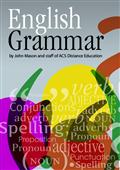
English Grammar
Grammar demystified -Learn the rules of grammar, punctuation, sentence construction; etc, for writing or editing. Grammar provides a coherent structure for the expression of thoughts and ideas. By following grammatical rules we are able to construct logical sentences that make sense to the receiver.
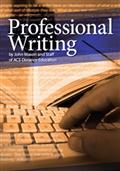
Professional Writing
Professional writing is any writing that you are being paid for. It can include fiction writing, a best-selling book, articles in a magazine, articles in a newspaper, blogs for companies, technical manuals or procedure manuals, copy for catalogues, newsletters, text books and other academic material and so on.
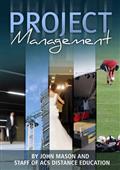
Project Management
This ebook is designed to help improve your capacity to manage any type of project in any type of industry. It may be read as a stand- alone book; used as something to refer to during the process of managing projects, or used as a complementary reference to help enhance the overall learning experience when studying a project management course.